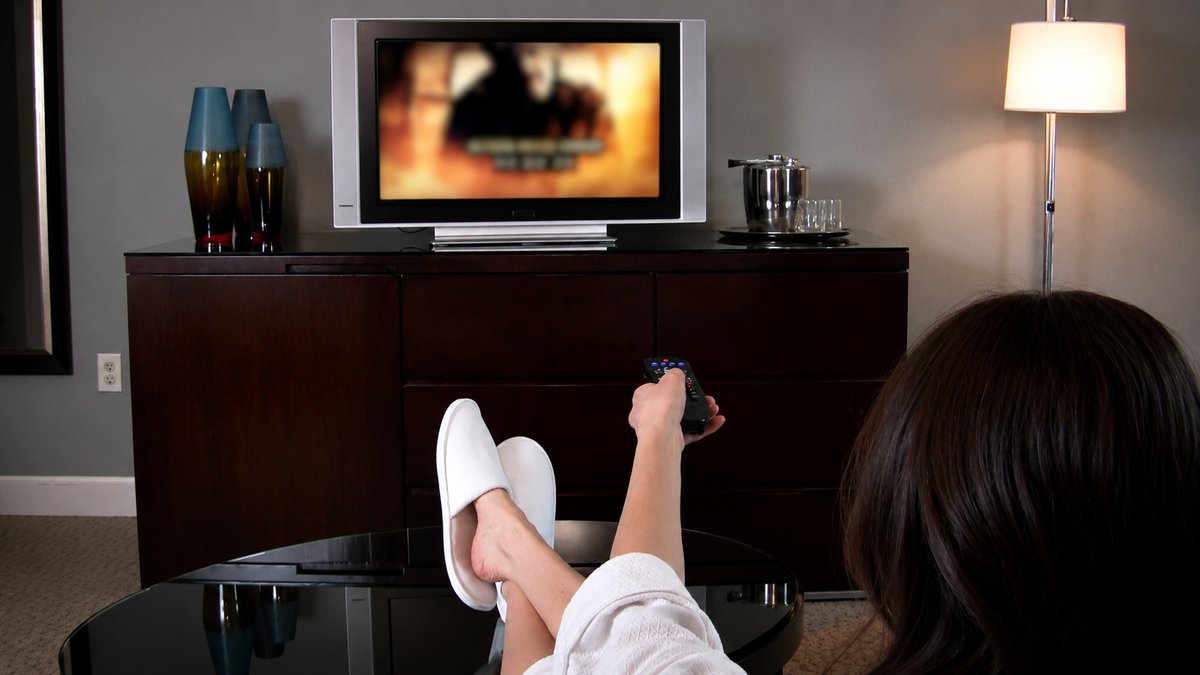
Modern TVs come with many picture features, and one of the most talked-about is the soap opera effect. If you have ever watched a movie on a new TV and felt that it looked too smooth or more like a live TV show, you were probably seeing the soap opera effect.
This effect is caused by a TV feature called motion smoothing. Although different TV brands use different names for it, the technology works in almost the same way on most modern TVs. While some people enjoy the smoother picture, many filmmakers recommend turning the feature off when watching movies.
What Is the Soap Opera Effect?
The soap opera effect is the name people use for the smooth picture created by motion smoothing. When this feature is turned on, your TV reduces the natural blur that appears when objects move quickly across the screen. As a result, movement looks much smoother and sharper than it normally would.
This changes the way movies and TV shows look, making them appear more like daytime soap operas or live television instead of traditional films. Although the official name of the feature is motion smoothing, different TV manufacturers use different names for it in their settings.
Why Is It Called the Soap Opera Effect?
The name comes from the way soap operas were filmed. Most movies have been filmed at 24 frames per second (24 fps) for many decades. This frame rate creates a small amount of natural motion blur, which gives movies their familiar cinematic look. Soap operas, however, were usually filmed at 30 fps or 60 fps, which made movement look smoother and more like real life.
When motion smoothing is turned on, your TV adds extra frames to make movies appear as if they were filmed at these higher frame rates. Because the picture starts to look similar to classic daytime soap operas, people began calling it the soap opera effect.
Also Read: Can the Human Eye See More Than 60 FPS?
How Does Motion Smoothing Work?
Motion smoothing is also known as motion interpolation. Most movies and many TV shows are recorded at 24 fps or 30 fps, but many modern TVs can display 60 fps, 120 fps, or even higher refresh rates. To match these higher refresh rates, the TV creates extra frames that were not part of the original video.
It studies one frame and the next frame, then predicts what should appear between them. These new frames are inserted between the original ones, making movement appear much smoother. By displaying more frames every second, the TV reduces motion blur and creates a smoother viewing experience.
Why Do Movies Look Different?
The small amount of blur seen in movies is not a mistake. It is a natural part of filmmaking and helps create the cinematic look that audiences have become familiar with over many years. Directors and cinematographers use this look on purpose to give movies a certain style and feeling.
When motion smoothing removes this blur, everything appears much smoother and sharper. Camera movements may feel different, and actors can appear as though they are performing in a live television show instead of a movie. This is why many people feel that movies lose their original cinematic look when motion smoothing is turned on.
Is Motion Smoothing Always Bad?
Motion smoothing is not always a bad feature. In fact, it can improve the viewing experience for certain types of content. It reduces blur during fast movement, making it easier to follow the action on the screen.
Many people prefer to use motion smoothing while watching sports because it helps them see players and the ball more clearly. It can also be useful for video games, news broadcasts, reality TV shows, and other live television programs where smoother movement looks more natural.
Why Do Many Filmmakers Want It Turned Off?

Movie directors spend a great deal of time deciding how every scene should look. They carefully choose the frame rate, camera movement, lighting, and motion blur to create the viewing experience they want audiences to have.
When a TV adds extra frames through motion smoothing, it changes the appearance of the movie from the way it was originally created. Because of this, many filmmakers recommend turning the feature off while watching movies so they can be viewed as originally intended.
Should You Turn Motion Smoothing Off?
Whether you should turn motion smoothing off depends on what you are watching. If you mainly watch movies, action films, thrillers, dramas, or streaming TV shows, turning the feature off usually provides the best viewing experience because it keeps the original movie look.
On the other hand, if you mostly watch sports, live TV, news, reality shows, or play video games, you may prefer to keep it turned on because it makes fast-moving scenes appear smoother and clearer. There is no right or wrong choice, as it depends on your personal preference and the type of content you watch.
Also Read: Binge-Watching: Entertainment or Addiction?
Does Every TV Have Motion Smoothing?
Many modern smart TVs include some version of motion smoothing. However, every TV manufacturer gives the feature a different name.
Amazon Fire TV calls it Action Smoothing; Roku TVs use Action Smoothing or Action Clarity; Google TV devices may use Motion Enhancement, Motion Clarity, or Motion Clearness, depending on the TV brand. LG calls the feature TruMotion, Samsung uses Auto Motion Plus, Sony calls it Motionflow, and Vizio uses the name Clear Action. Although the names are different, they all perform the same basic function of making movement appear smoother.
How to Turn Motion Smoothing Off
.jpg)
Many modern TVs automatically turn motion smoothing off when you choose Cinema Mode, Movie Mode, or Filmmaker Mode. If the feature is still enabled, you can usually find it in the Picture or Display settings menu. The exact location depends on your TV brand and model.
On Amazon Fire TV, the setting is found under Display & Sound > Advanced Settings > Action Smoothing. On Roku TVs, it is located under Picture Settings > Advanced Picture Settings > Action Smoothing or Action Clarity. On Google TV devices, it is usually under Settings > Display & Sound > Picture > Advanced Settings, where it may be called Motion Enhancement, Motion Clarity, or Motion Clearness.
LG TVs place TruMotion under All Settings > Picture Mode Settings > Picture Options, Samsung TVs include Auto Motion Plus under All Settings > Picture > More Picture Settings > Picture Clarity Settings, Sony TVs list Motionflow under Settings or Home > Picture Settings (or Display & Sound) > Picture > Motion, and Vizio TVs include Clear Action under Picture > Advanced Picture Settings. If you cannot find the setting, searching online with your TV brand and model number can help you locate it quickly.
Can You Turn It Back On?
Yes, you can turn motion smoothing back on whenever you want. Many people switch it on while watching sports or live events because smoother movement makes fast action easier to follow.
Others also use it for video games, news broadcasts, or reality TV shows. For movies and scripted TV shows, however, many viewers prefer to leave it turned off so the picture looks closer to the way it was originally filmed.
Which Setting Is Best for You?
The soap opera effect is one of the most common picture features found on modern TVs. It is created by motion smoothing, which adds extra frames between the original video frames to reduce motion blur and make movement appear smoother. This feature works well for sports, live TV, news broadcasts, reality shows, and video games because it makes fast-moving scenes easier to see.
However, it also changes the look of movies by removing the natural motion blur that gives them their traditional cinematic appearance. If your movies suddenly look unusually smooth or more like live television, motion smoothing is probably turned on. Turning it off is usually the best option for watching movies and TV shows, while turning it back on can improve the viewing experience for sports and other fast-moving content. In the end, the best setting depends on what you enjoy watching and the type of picture you prefer.